Engine

Unity

Role

Designer / Programmer

Project Duration

3 Months

Team & production

Internship at Para Fauna Studios

Overview

Adapta Solva is a puzzle platformer set in a world that has been struck by magical disaster. Repair a damaged forest and re-build a peaceful home. Find out why you have appeared in the world, meet animals and explore a world full of mystery to discover!

Goals

Design new mechanics and levels and implement them into the existing project. Designed and implemented a Hub world and 11 traversal sections. Designed and implemented a new forest restoration mechanic with dynamic VFX to enhance the experience.

Project Descrption

I had the opportunity to work on the flagship project at Para Fauna. My primary responsibilities were to solve two major challenges players were currently experiencing. The first to improve continuity for playsessions. In other words, players didn't yet have a strong sense that the levels they were playing were part of a larger, connected world. The second challenge was communicating to the player their impact on the game world by the action of restoring a corrupted forest through their afforded actions.

My Role

My role was to give players a stronger sense of continuity. Which I did by adapting and fleshing out a previous idea for a hub world, adding traversal sections between each of the main puzzles and adding gamefeel to solving the puzzles with new layers of player feedback.

Restoration Design

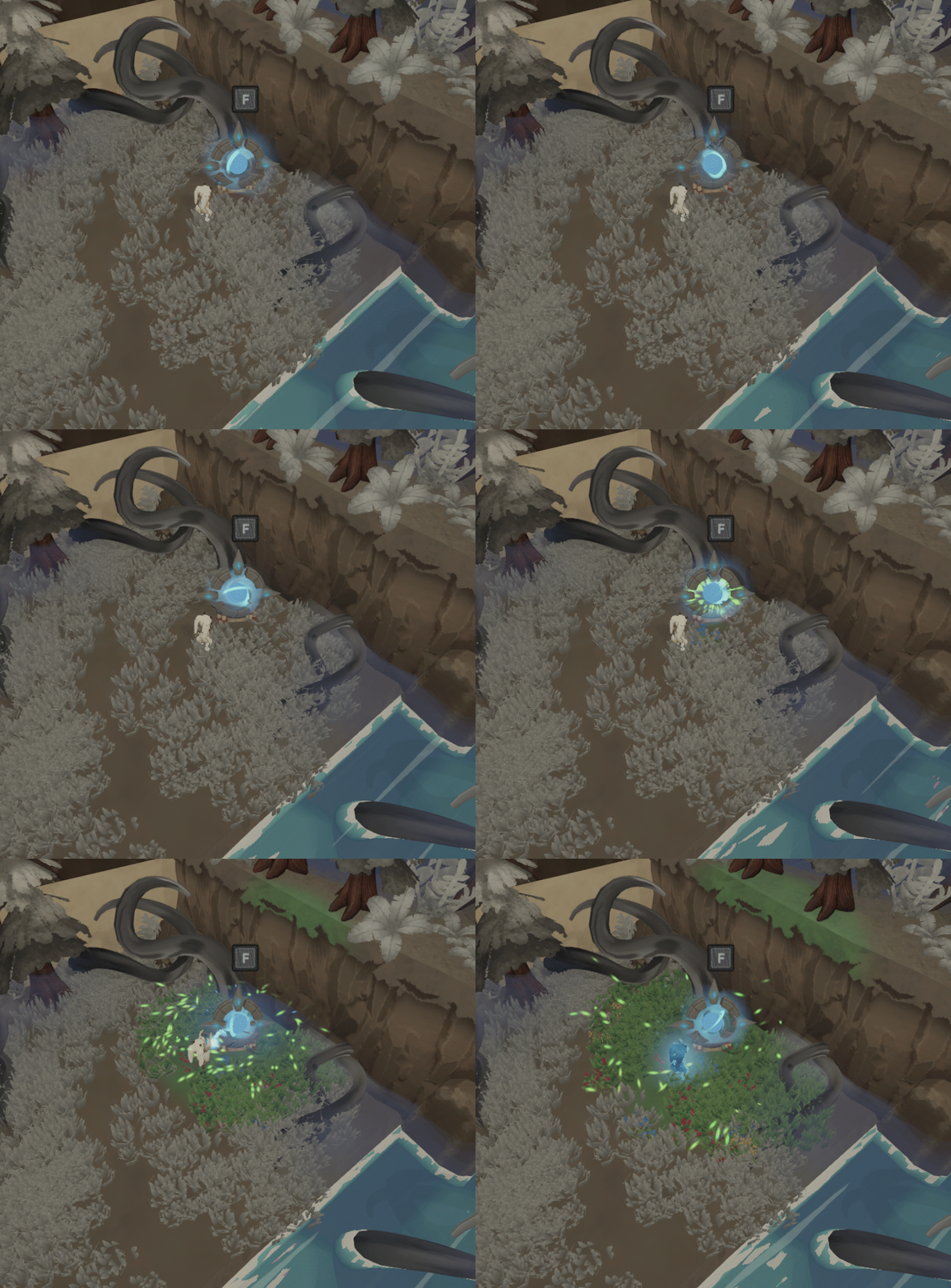
One of the challenges that the project needed to overcome was delivering a sense of restoring the dead forest in which you play and have that feel as satisfying as possible. To that end I pitched a system of feedback that would be delivered to the player.

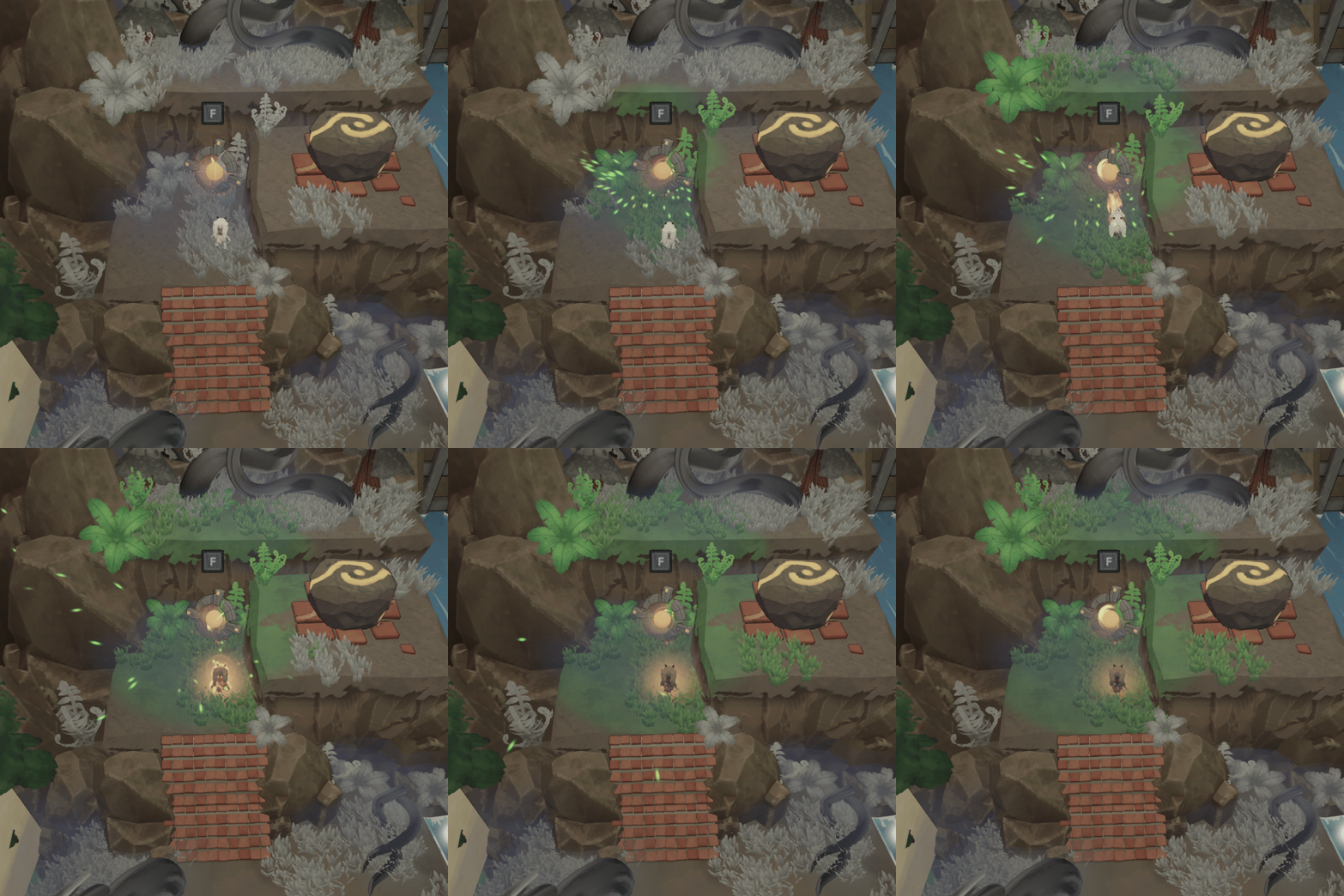
In vague terms, the feedback comes together to turn a section of corrupted, dead forest into a lush, green variation of itself. More specifically, A texture painter paints onto a render target that can be sampled as a mask by several shaders and tweened animations, VFX and post processing. The channels of feedback were specifically:

    An environment shader that changes ground textures by sampling this mask. In this case, swapping from brown/grey textures to Green.

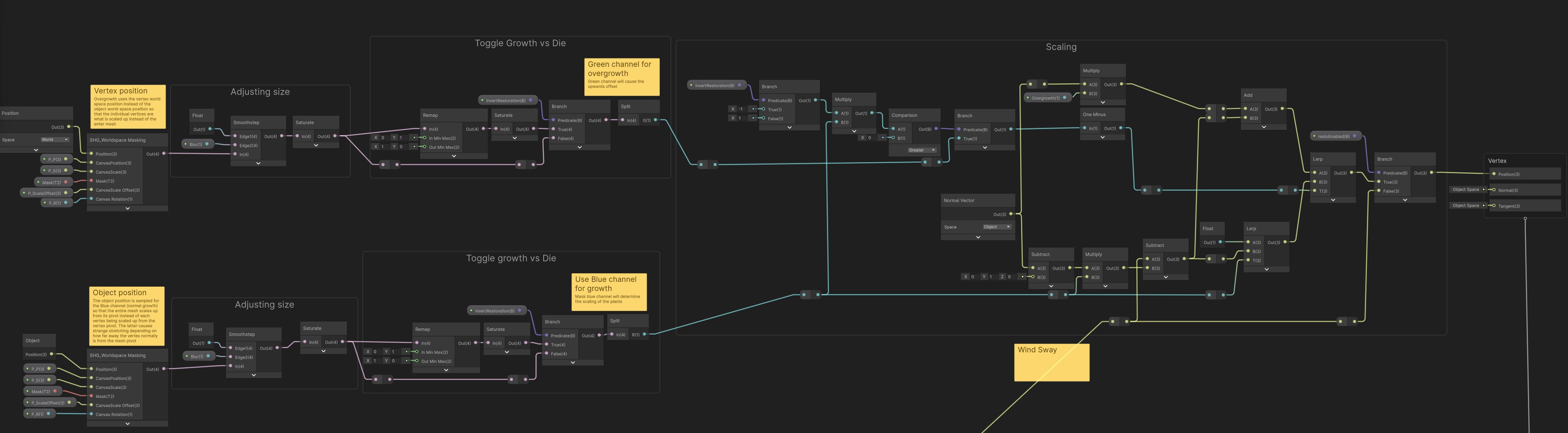
    A vertex shader which grows vegetation within the painted area of the environment.
    VFX of glowing green fireflies that burst out from the painted area.
    A post process volume with desaturation, lowered contrast and a black vignette, which has its weight reduced to 0 when the puzzle is solves and the forest is finally restored.

Why?

Artist friendly

More Dynamic

Highly scalable

Visually interesting
HLSL

The system paints to a render target, which I then sample. I take the world coordinate of a painted position on a canvas within the game world. I then paint to a correspondiing position on the mask which can be sampled later by various shaders.

Texture paint shader:

fixed4 frag (v2f i) : SV_Target{   
    if(_PrepareUV > 0 ){
        return float4(0, 0, 1, 1);
    }         

    float4 col = tex2D(_MainTex, i.uv);
    float4 res = float4(0,0,0,1);

    float f = 0;

    //R: Ground
    if (_PainterColor.r > 0.0){
        f = mask(i.worldPos, _PainterPosition, _Radius, _Hardness);
        res.r = lerp(col.r, _PainterColor.r, f * _Strength);
        }

    //G: Overgrowth
    if (_PainterColor.g > 0.0){
        float d = anCircle(i.worldPos, _PainterPosition, _Radius, _Width);
        float ringmask = d < 0.0 ? 1.0 : 0.0;
        float edgefade = 1 - exp((-6 * _Hardness) * abs(d)); // my smoothstep
        
        _PainterColor.g = saturate(_PainterColor.g);

        res.g = _PainterColor.g * ringmask * edgefade;

        }

    //B: Foliage
    if (_PainterColor.b > 0.0){
        res.b = lerp(col.b, _PainterColor.b, f * _Strength);
        }

  
    return res;

}

        
                    
mask_rgb

The red channel is used for the texture painted materials, like the ground and walls.The blue channel is used for the vertex shaders and defines where the vegetation is grown and where it is hidden. The green channel is used for overgrowth, in this case I cause the vegetation to gain some additional height in any section already defined as grown by the blue channel. I paint a ring into the green channel which dissipates over time. This adds some more life to the effect and sells the aesthetics of restoring the forest better.


mask_r
mask_g
mask_b

Shadergraph

Grass vertex shader

Here is the shadergraph for the vertex shader which controls the foliage. It samples the mask twice, once at world vertex position and once at object pivot position. I then perform some calculations to either show or hide the mesh.
Ground fragment shader

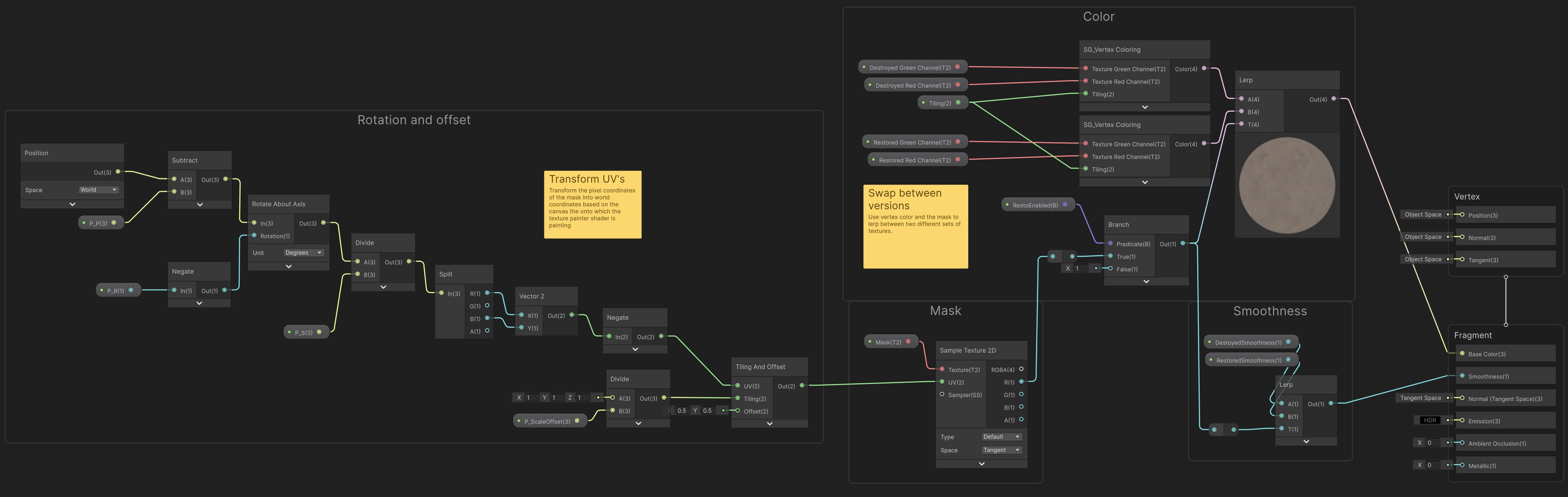
Here's the shadergraph for the ground objects. Here I sample the world position of the object once and transform its coordinates based on the transform of the canvas to which the texture painter is painting. I then lerp between two sets textures based on the mask and some vertex painting.

Automatic setup

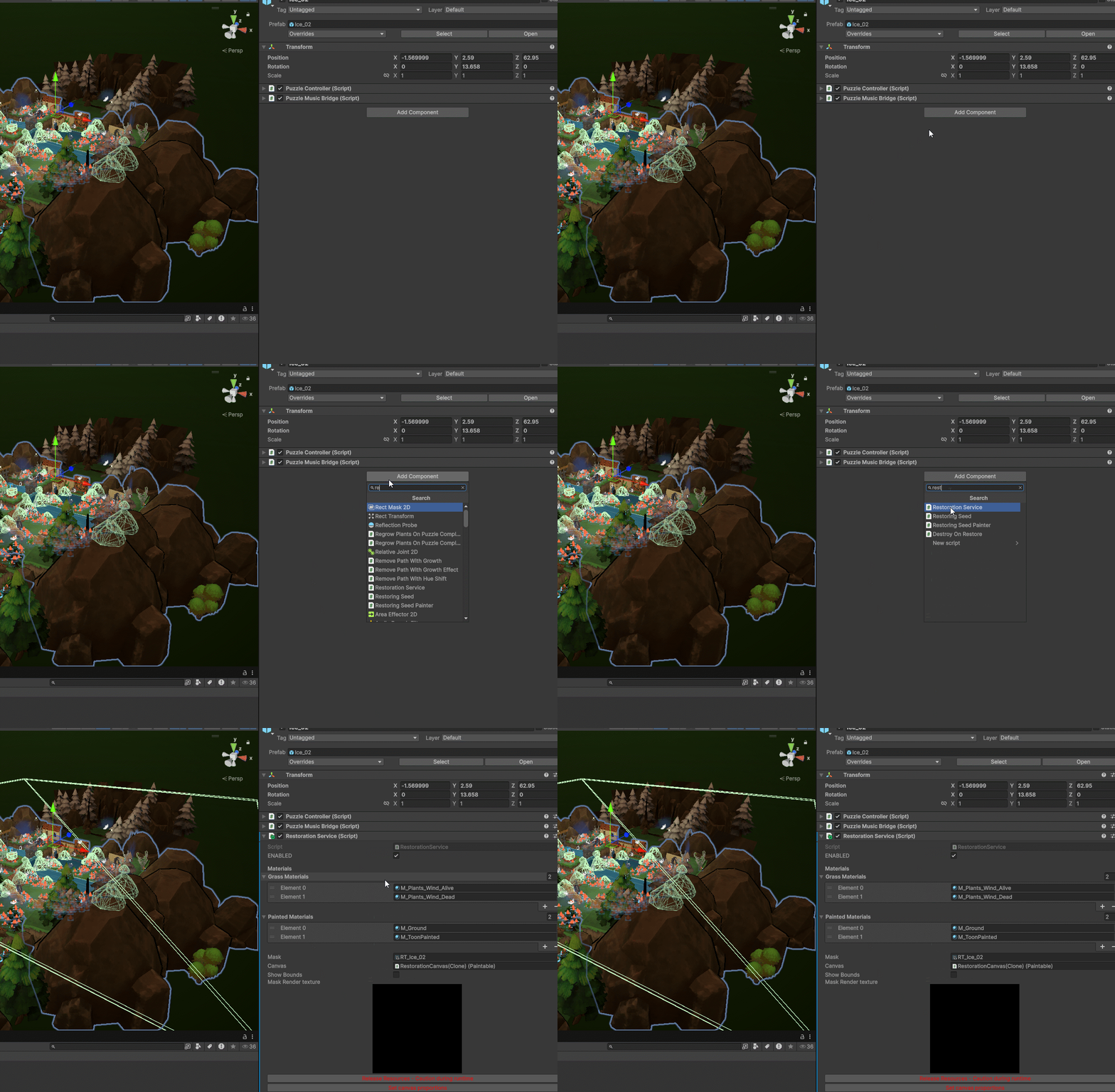
It was important that this tool wouldn't impact our artists and would instead empower them to be more creative when set dressing the levels. I spent some additional time creating redundancies and an automatic set up for the Restoration System. I made it so that to set everything up you just add the script to the level prefab. No other set up is required for the artists. The service will add every component to the level necessary for the system to work. The only requirements are to physically add some painters to the scene, which are also just a single script.

One-click set up

Dynamic for every level

Works on older levels

No workflow changes
restoration-setup

Iterations

Level Design

Hub World

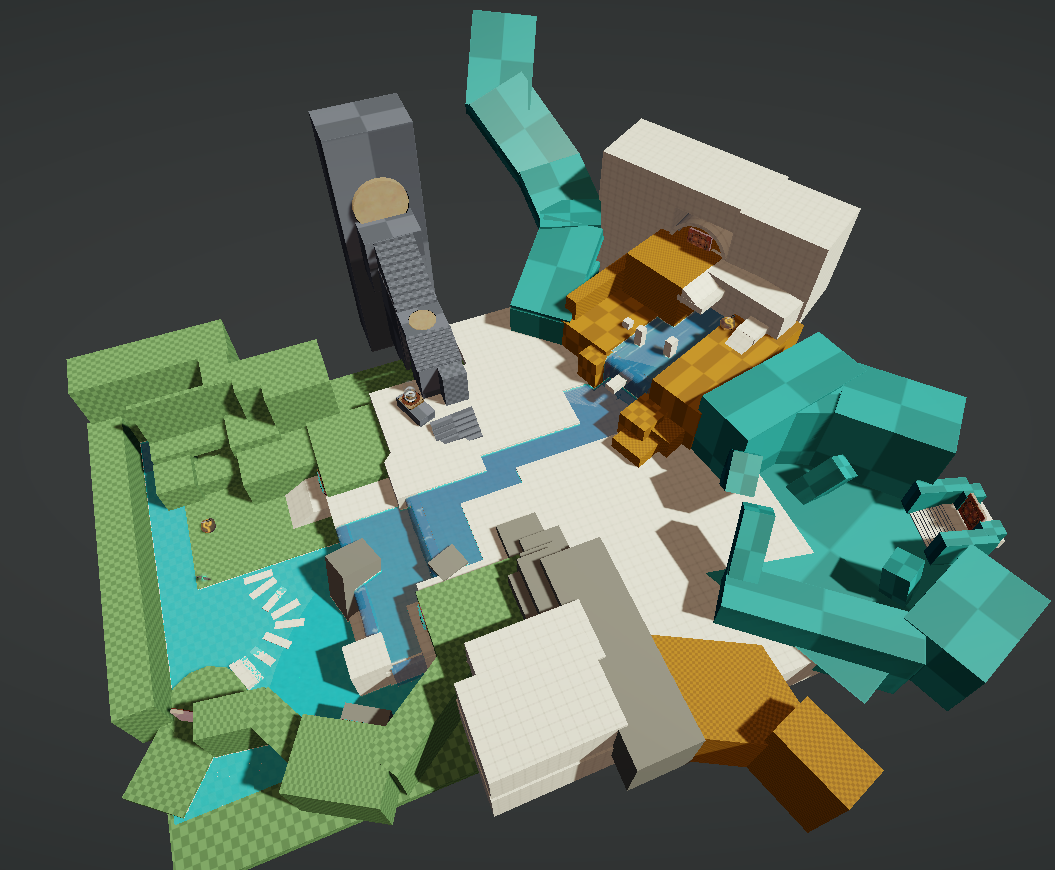
I was inspired by the hub worlds of traditional puzzle platformers and aimed to create a hubworld that focused on tutorialisation, story and exploration with secrets. To this end I took inspiration from games such as Spyro and Super Mario Sunshine. My first blockout of the hub involved forcing the player to perform a simple, low stakes puzzle to unlock each door.

Hub Blockout 01

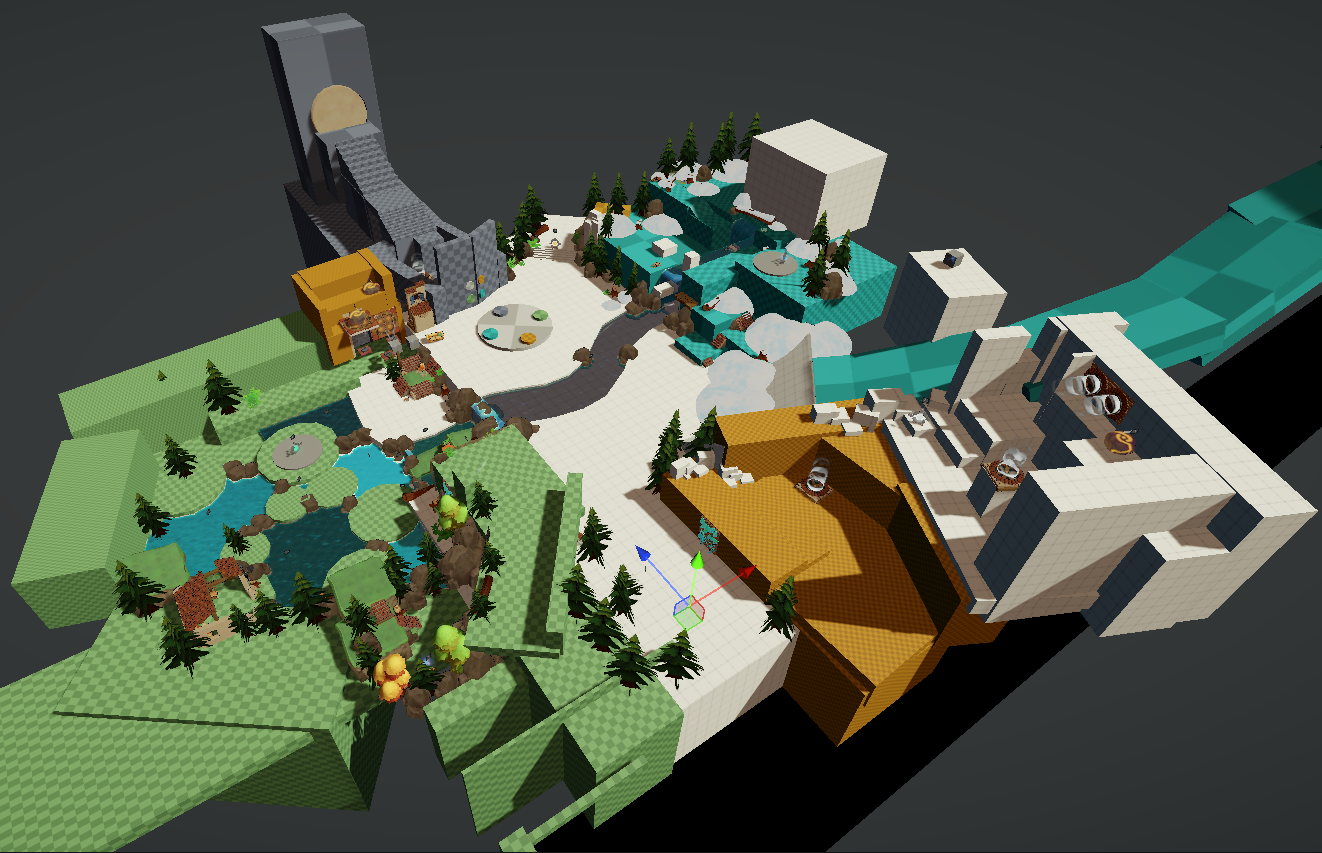
We found after playtesting that the core idea of the hub worked, but the forced puzzles were causing players to view the hub as one large puzzle. So I retrofitted each of the puzzles into optional secret objectives to unlock collectables. As well as improved telegraphing for the player. This is what the final blockout looked like:

We found after testing this iteration with testers that players were motivated to explore the hub world and gather collectables before and after they played through one of the levels. By doing this the game achieve a stronger sense of continuity and kept players more motivated to continue playing for longer.

Hub Blockout 3

Platforming sections

In addtion to the Hub world, I added traversal sections with light platforming as a way to flesh out the tracks and break up the pacing. Lastly, the platforming sections act as an important form of tutorialisation.

In one such platforming section, the environment is structured so that the player is forced to engage with the key mechanics related to a specific element, slime, without previously understanding how these mechanics worked. In the example, the player is shown a bridge of grates. At this point, the player is forced to have the slime element equipped, where if they were to stand on a grate, they would slip through. Thus when the player attempts to walk over the bridge, they will inevitably fall through the grate. However, the distance covered by the grates is easily jumpable. The idea here is to get the player to "accidentally" interact with an important mechanic that they will later exploit to solve puzzles in this level.

platforming-slime_01

Another example is the slope later in this section. The slope is the only path forward, whereby if they move down it, they will be forced into water. Water in this case removes the equipped slime element. Here the environment again teaches the player another dynamic inherent to the slime element.

Looking back

My time working Adapta Solva gave me valuable experience in how to operate within a production scale project, along with all of the foresight and thorough implementation that entails. I honestly grew my skills in Toolmaking, Level Design and User Experience. Learning HLSL was a really fun, challenging process and I'm grateful to be adding it to my toolbelt.

I'm eternally grateful for the guidance that I received from my studio during the internship process and for being given the opportunity to contribute to their flagship title.